Exploring Claude Code as a Design Tool
I've been using Claude Code not just as a developer assistant but as an active part of my design workflow — generating component variants, exploring design systems, and prototyping faster than I ever could in Figma alone. Here's exactly how.

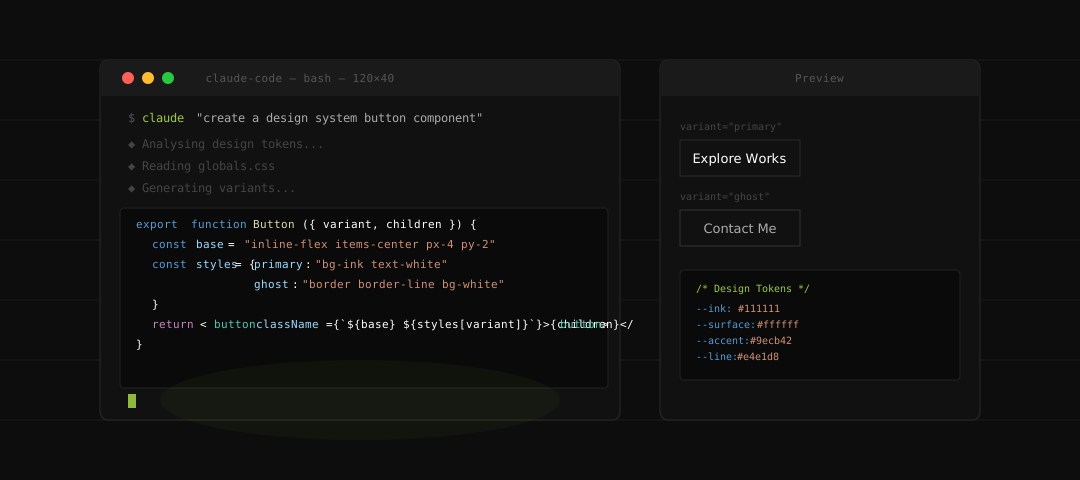
When Claude Code launched, I watched the developer community lose their minds over it. Rightfully so — it's a genuinely impressive engineering tool. But I noticed something almost immediately: no one was talking about what it could do for designers.
I've been using it for three months now as a core part of my design-to-code workflow. Not to replace Figma, not to become a developer, but to collapse the distance between design intent and production reality. Here's what I've found.
What Claude Code actually is (for non-devs)
Claude Code is an agentic AI that runs in your terminal and can read, write, and edit files across your entire codebase. Unlike a chatbot, it understands context — it reads your existing CSS, your component structure, your design tokens — and generates code that fits your actual project, not a generic template.
For designers, that distinction matters enormously. When I ask it to "create a button component," it doesn't generate Bootstrap. It reads my globals.css, finds my existing tokens, and produces something that looks like it belongs in my codebase.
"The moment I realised Claude Code understood my design tokens the same way I do, my relationship with code changed permanently."
Using it to explore design system components
My most-used workflow: I describe a component in plain English — its purpose, states, and constraints — and Claude Code generates a working React + Tailwind implementation that respects my existing design system. I can then open it in a browser, test it, tweak it, and push variants back through Claude to explore different approaches.
What used to take a full day of back-and-forth with a developer to get a component into a state I could properly review now takes 20 minutes. I generate the first version, immediately see what works and what doesn't, and iterate. The feedback loop is compressed to minutes.
$ claude "generate 3 variants of the case card component — default, featured, and compact"
◆ Reading case-card CSS...
◆ Analysing existing variants...
◆ Writing CaseCard.tsx — 3 variants ✓
◆ Writing CaseCard.stories.tsx ✓
A typical Claude Code session for design system component generation.
Generating variant explorations at speed
One of the most underrated design activities is variant exploration — trying five different layouts for the same component before committing to one. Traditionally this lives entirely in Figma. With Claude Code, I can generate working HTML and CSS variants and compare them in a real browser, at real sizes, with real content. No Lorem Ipsum. No approximated spacing. Actual behaviour.
For this portfolio, I used Claude Code to generate twelve different hero section layouts in an afternoon. Twelve. I picked the strongest two, refined them, and had a final direction by end of day. That process used to take a week minimum.
The surprising design workflow
The workflow I've settled into looks like this: Figma for composition and visual thinking, Claude Code for translating decisions into production-ready code, and browser DevTools for fine-tuning. Figma and Claude Code aren't competing — they handle completely different parts of the problem.
I design the structure and visual language in Figma. I describe it to Claude Code. Claude Code translates it. I review in the browser. The gap between "what I designed" and "what gets built" has essentially closed.
"Figma and Claude Code aren't competing — they handle completely different parts of the problem."
Where it falls short
It's not perfect. Claude Code struggles when design intent is ambiguous — if you don't articulate your constraints clearly, it makes assumptions that can take you further from your vision. It also doesn't have taste. It can generate technically correct code that misses the emotional quality of a design. That gap is yours to fill.
Animations and micro-interactions remain fiddly. Accessibility edge cases need explicit prompting or they get skipped. And complex responsive layouts sometimes require multiple back-and-forth sessions to get right.
The verdict
Claude Code is the first AI tool that has genuinely changed how I work as a designer — not by replacing design thinking, but by removing the translation layer between design and code. If you're a designer who has ever felt frustrated watching developers interpret your Figma files in ways that miss the intention, Claude Code is worth your full attention.
The designers who learn to use it well won't just ship faster — they'll have a fundamentally different relationship with the products they design. They'll know, with certainty, that what they imagined is what got built.